Fun Live Streaming Ideas: 15 Ways to Make Your Live Videos More Interactive
Fun Live Streaming Ideas: 15 Ways to Make Your Live Videos More Interactive
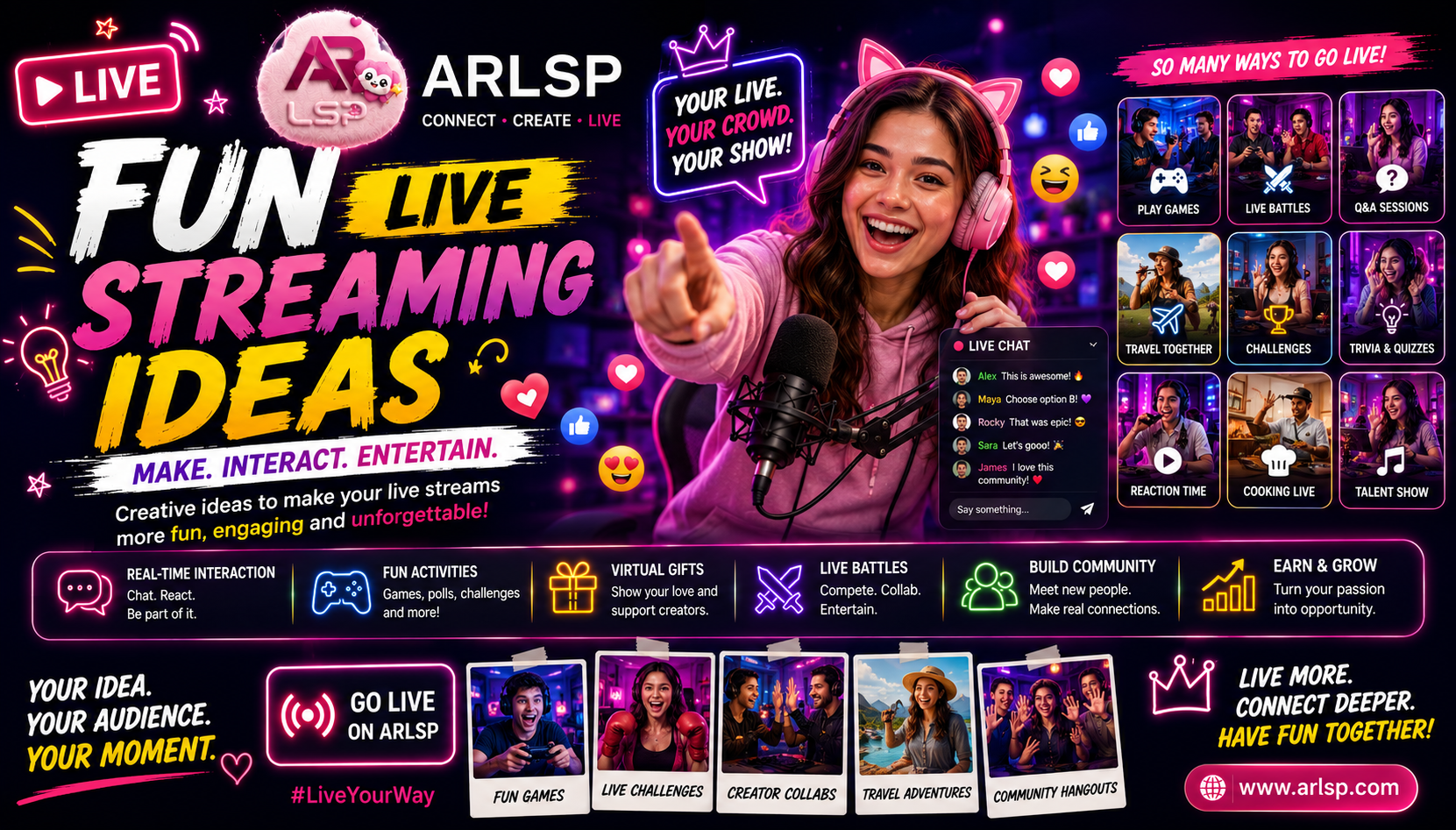
Introduction
Going live is easy.
Keeping people interested is harder.
A creator can turn on a camera, start broadcasting, and wait for viewers to arrive. But successful live content usually needs more than simply being online.
It needs a reason for people to join.
It needs something happening.
And ideally, it gives viewers a reason to participate instead of simply watching silently.
That is why having a collection of fun live streaming ideas can make a major difference.
A livestream can become a game.
A challenge.
A conversation.
A competition.
A travel experience.
A community event.
A creator collaboration.
Or simply a place where people come together and have fun.
The best part is that creators don't necessarily need complicated equipment or expensive production.
Sometimes, the most engaging livestream ideas are surprisingly simple.
What Makes a Live Stream Fun?
Fun is subjective.
What one audience considers entertaining may not work for another.
But successful interactive livestreams often include one or more of these elements:
Participation
Competition
Surprise
Humor
Conversation
Challenges
Games
Audience decisions
Creator personality
Community interaction
The important principle is:
Give viewers something to do, react to, or look forward to.
1. Let the Audience Choose What Happens Next
One of the easiest ways to make a livestream interactive is to let viewers make decisions.
Instead of deciding everything yourself, ask your audience.
For example:
"Which game should we play next?"
"Which challenge should I try?"
"Where should we go next?"
"Which topic should we discuss?"
The audience gives you ideas, and you use those responses to shape the stream.
This creates a simple psychological shift.
The viewer isn't just watching.
They are helping create the content.
2. Host a Live Q&A
A Q&A doesn't require complicated preparation.
Choose a topic and invite viewers to ask questions.
It could be:
Gaming
Travel
Entertainment
Creator life
Technology
Hobbies
Personal experiences
Education
The key is to actually interact with the questions.
Read them.
Answer them.
Ask follow-up questions.
Turn individual questions into conversations.
That makes the livestream feel much more personal.
3. Play Interactive Games With Your Audience
Games are naturally suited to live content.
Instead of only playing a game yourself, create ways for your audience to participate.
Depending on the platform and game, you might:
Challenge viewers
Ask viewers to choose strategies
Host competitions
Play multiplayer games
Create community challenges
Run quizzes
Hold prediction-style activities where supported
The objective isn't necessarily to make the most complicated game.
It is to create interaction.
4. Host a Creator Challenge
Bring another creator into the livestream.
Then create a challenge.
It could involve:
Gaming
Trivia
Speed challenges
Creative activities
Reactions
Knowledge competitions
Funny tasks
Now you have two creators.
Two audiences.
One livestream.
This can create additional opportunities for discovery.
5. Try a Live Battle
Competition can make a livestream much more exciting.
ARLSP's Live Battle feature provides a creator-versus-creator format where audiences can participate around the competition.
This can create a different type of live entertainment.
Instead of:
Creator → Audience
you have:
Creator A ↔ Creator B
with:
Audience → Interaction
around the event.
A Live Battle can therefore become a recurring format for creators who enjoy competitive social content.
6. Create a "You Decide" Livestream
Build the entire stream around audience decisions.
Before going live, prepare several options.
Then let viewers choose.
For example:
Option A
Option B
Option C
The winning choice determines what happens next.
You can repeat this throughout the stream.
The result is unpredictable.
And unpredictability is one of the reasons people enjoy live content.
7. Host a Gaming Challenge
Gaming livestreams don't have to be ordinary gameplay.
Create a specific objective.
For example:
Complete a difficult level
Try an unusual strategy
Play with restrictions
Compete against another creator
Let viewers suggest challenges
Attempt to beat a personal record
Now the audience has a question:
"Can they actually do it?"
That question creates suspense.
8. Turn a Travel Stream Into a Live Adventure
Travel livestreams can become much more engaging when the audience gets to participate.
Instead of simply walking around and showing the location, invite viewers into the experience.
Ask:
"Where should I go next?"
"Which food should I try?"
"Should we explore this street?"
"What do you want to see?"
The creator becomes the audience's eyes in another location.
That makes travel content feel more interactive.
9. Host a Live Trivia Session
Trivia is simple and flexible.
You can build questions around:
Games
Movies
Music
Sports
Travel
General knowledge
Pop culture
Internet trends
Ask a question.
Give viewers time to answer.
Then reveal the answer.
You can keep track of participants if the platform's features allow it.
Trivia also creates natural conversation between viewers.
10. Have a "Guess What Happens Next" Stream
Create suspense.
Show viewers a situation and ask them to predict the outcome.
This could work with:
Games
Challenges
Cooking
Travel
Reactions
Creator competitions
The audience makes predictions.
Then everyone waits to see what happens.
The live format makes the reveal more exciting because everyone experiences it at the same time.
11. Host a Community Hangout
Not every livestream needs a complicated concept.
Sometimes people simply want to spend time with a creator they like.
A community livestream could involve:
Casual conversation
Viewer questions
Stories
Discussions
Reactions
Community updates
Future content planning
These streams can be particularly useful for building relationships with regular viewers.
The objective isn't necessarily maximum reach.
It is deeper community connection.
12. React to Interesting Content
Reaction content can work well in a live environment.
A creator can react to:
Gaming moments
Funny videos
Interesting stories
Creator content
Entertainment topics
Community submissions
The important consideration is respecting copyright and platform rules.
Rather than simply replaying someone else's content, the creator should add meaningful commentary and follow applicable rights and platform policies.
The value comes from the creator's perspective.
13. Host a Live "Behind the Scenes"
People are often curious about what happens outside the final video.
A creator can show:
Streaming setup
Content preparation
Gaming equipment
Creative process
Travel preparation
Studio setup
Editing workflow
This makes the audience feel closer to the creator.
They aren't only seeing the polished content.
They're seeing how it happens.
14. Create a Recurring Live Show
One of the best long-term strategies is consistency.
Instead of inventing a completely new idea every time, create a recognizable format.
For example:
Monday Gaming Night
Wednesday Community Chat
Friday Creator Battle
Sunday Travel & Stories
The audience starts to understand what each livestream represents.
Over time, these recurring formats can become part of the creator's identity.
15. Let Viewers Become Part of the Story
The most powerful live content often makes viewers feel noticed.
Use their names when appropriate.
Respond to questions.
Remember recurring community members.
Ask for opinions.
Celebrate milestones together.
Invite participation.
The goal isn't simply:
"How many people are watching?"
It is:
"How many people feel like they are part of this?"
Why Audience Participation Makes Live Video Different
Recorded videos can be entertaining.
But live streams provide something recorded content cannot fully reproduce:
shared time.
Everyone is experiencing the content together.
The creator is there.
The audience is there.
Something happens.
People react.
The moment exists once.
That creates a stronger sense of immediacy.
Fun Live Streams Don't Need Expensive Equipment
Creators sometimes believe they need a professional studio before going live.
That's not necessarily true.
A basic setup can include:
Smartphone
Stable internet
Clear microphone
Good lighting
Suitable background
Comfortable streaming environment
The equipment can improve over time.
But content quality isn't determined only by equipment.
A creator with a great personality and strong audience interaction can create a compelling stream with a relatively simple setup.
The Creator's Personality Matters
Two creators can use the exact same livestream idea.
One succeeds.
The other struggles.
Why?
Because the format is only one part of the experience.
The creator brings:
Personality
Humor
Energy
Knowledge
Reactions
Communication
Authenticity
A good idea gives the creator a structure.
The creator makes the structure entertaining.
How to Keep Viewers Engaged During a Livestream
Don't wait for viewers to create the energy.
Create interaction yourself.
Ask Questions
Give people something easy to answer.
Acknowledge Comments
Make viewers feel noticed.
Change the Pace
Avoid doing exactly the same thing for hours.
Introduce Mini-Challenges
Create small moments of excitement.
Build Suspense
Give viewers something to anticipate.
Invite Participation
Don't make the audience feel like spectators.
The First Few Minutes Matter
When someone joins a livestream, they need to understand what is happening.
Avoid starting with ten minutes of silence.
Instead, quickly explain:
What are we doing?
Why should viewers stay?
How can they participate?
For example:
"Today we're letting the audience choose every challenge we do. Drop your choice in the chat."
Now the viewer immediately understands the format.
Use a Simple Live Stream Structure
A fun livestream can follow this structure:
Hook
↓
Tell viewers what is happening.
Warm-Up
↓
Talk with early viewers.
Main Activity
↓
Start the game, challenge, conversation, or event.
Audience Interaction
↓
Ask questions and respond.
Major Moment
↓
Create a challenge, competition, or reveal.
Community Segment
↓
Talk with regular viewers.
Ending
↓
Tell people when you're going live again.
This gives the stream direction without making it feel overly scripted.
Turn One Fun Livestream Into More Content
A livestream can create content long after it ends.
For example:
Full Livestream
↓
Best Moment
↓
Funny Clip
↓
Short Video
↓
Social Post
↓
New Viewer
↓
Next Livestream
This is why livestreaming can become part of a broader video-content strategy.
The Fun Content Flywheel
Creators can build a repeatable system:
Idea
↓
Livestream
↓
Audience Interaction
↓
Memorable Moment
↓
Short Video
↓
Discovery
↓
New Audience
↓
Next Livestream
The livestream creates the experience.
Short-form content helps people discover it.
Community interaction helps turn new viewers into returning viewers.
How ARLSP Can Support Interactive Live Content
ARLSP's broader creator ecosystem provides several features that can fit naturally into interactive livestream formats.
Creators can use live streaming to connect with audiences and build communities.
Depending on the content and creator's strategy, formats can include:
Gaming streams
Entertainment
Social conversations
Travel experiences
Creator collaborations
Live Battles
Community sessions
Live shopping
Interactive creator content
ARLSP also includes features such as virtual gifts, creator coins, messaging, notifications, and creator-focused engagement tools.
This gives creators multiple ways to build interaction around live content rather than treating the livestream as a simple video broadcast.
Live Battles Can Turn Fun Into Competition
A fun livestream can become even more engaging when competition is introduced.
Two creators can compete.
Their audiences can watch.
Viewers can interact.
The creators can react to the audience.
The competition creates a clear storyline:
Who will win?
This makes Live Battles particularly suitable for creators who enjoy energetic, competitive content.
Virtual Gifts Can Become Part of the Experience
Audience support can also become part of live interaction.
ARLSP provides virtual gifting functionality that allows viewers to send virtual gifts during creator experiences.
For creators, this can be part of the platform's monetization ecosystem.
For audiences, it provides another way to participate and show appreciation.
As always, creators should focus on delivering entertaining content first rather than making monetization the entire purpose of a livestream.
Fun Doesn't Mean Random
A common mistake is confusing spontaneity with having no plan.
You can be spontaneous while still having structure.
For example:
Planned Format
"Today we're doing audience challenges."
Spontaneous Content
The audience decides which challenges happen.
That combination is powerful.
The creator has a framework.
The audience creates the unpredictability.
How to Find Your Best Live Format
Don't assume your first format will be your best.
Experiment.
Try:
Gaming
Then:
Q&A
Then:
Community Hangout
Then:
Creator Battle
Then:
Travel
Then:
Audience Challenge
Look at which formats generate the strongest:
Watch time
Interaction
Returning viewers
Comments
Follows
Community activity
Then invest more heavily in the formats your audience responds to.
Create a Recognizable Creator Identity
Eventually, people should know what they are going to experience when they see you live.
Maybe you're:
The gaming challenge creator.
Or:
The travel livestream creator.
Or:
The creator who lets viewers control everything.
Or:
The creator who hosts weekly battles.
A recognizable identity makes discovery easier.
15 Quick Ideas You Can Use Tonight
If you need something simple, try one of these:
Audience chooses the game.
Live Q&A.
Creator challenge.
Viewer trivia.
Live Battle.
Gaming competition.
Community hangout.
Travel exploration.
Audience chooses the next activity.
Behind-the-scenes stream.
Reaction session.
Viewer challenge.
Collaboration stream.
Funny storytelling session.
"You decide what happens next" livestream.
The goal isn't to use all fifteen.
Find two or three that fit your personality and repeat them consistently.
Frequently Asked Questions
What are fun live streaming ideas?
Fun live streaming ideas are interactive formats that give viewers a reason to watch and participate, such as games, challenges, Q&As, competitions, travel streams, and community sessions.
How do I make my livestream more interactive?
Ask questions, respond to comments, let viewers make decisions, create challenges, collaborate with other creators, and use interactive platform features where available.
What can I livestream besides gaming?
You can livestream travel, entertainment, conversations, education, music, hobbies, challenges, shopping, creator collaborations, and community events.
Do I need expensive equipment to livestream?
No. A smartphone, reliable internet, clear audio, and reasonable lighting can be enough to begin.
How can I get more people to watch my livestream?
Create a clear concept, promote the stream beforehand, use short videos for discovery, interact with viewers, collaborate with creators, and maintain a consistent schedule.
Can a livestream become multiple videos?
Yes. Highlights, funny moments, clips, short videos, community posts, and other content can be created from a single livestream.
What makes ARLSP useful for fun live content?
ARLSP combines live streaming with social and creator-focused features, including communities, Live Battles, virtual gifts, messaging, and other audience interaction features.
Final Thoughts
The best livestream isn't necessarily the one with the most complicated production.
It is often the one where viewers feel like something is happening and they are part of it.
Give people a challenge.
Let them make decisions.
Play a game.
Explore somewhere new.
Compete with another creator.
Answer questions.
Tell stories.
Or simply spend time together.
The possibilities are much bigger than simply pressing the LIVE button.
For creators, the opportunity is to turn live video into an experience.
For audiences, it is an opportunity to move from watching to participating.
And for platforms such as ARLSP, interactive formats such as Live Battles, virtual gifting, creator communities, and social engagement can help make livestreaming more than a broadcast.
It can become a place where people come to have fun together.